Operate Salesforce analytics at the scale your org actually runs on
A Chrome extension for bulk copy, move, and delete on reports and dashboards—plus fast folder navigation and deployment prep with a review step before anything ships.
Operates in your browser · Works with your Salesforce session · Read how we handle data
Outcomes that matter in production
Built for high-volume orgs and lean teams
Replace one-by-one cleanup with a structured workflow: select assets, pick an action, review, and run—with progress you can follow.
Less manual repetition
Batch copy, move, and delete across reports and dashboards so folder hygiene and org-wide moves complete in a fraction of the time.
Clearer change control
See what will change before it runs. Deployment-oriented flows include a review step so teams avoid surprises in shared folders.
Consultant- and admin-ready
Launch from the Salesforce context you are already in—no one-off scripts, Apex, or CLI required for day-to-day analytics operations.
Inside the product
From selection to a reviewed deploy
A steady flow your stakeholders can follow: point to a target folder, inspect the package, and confirm the outcome—without leaving the browser session you already use for Salesforce.
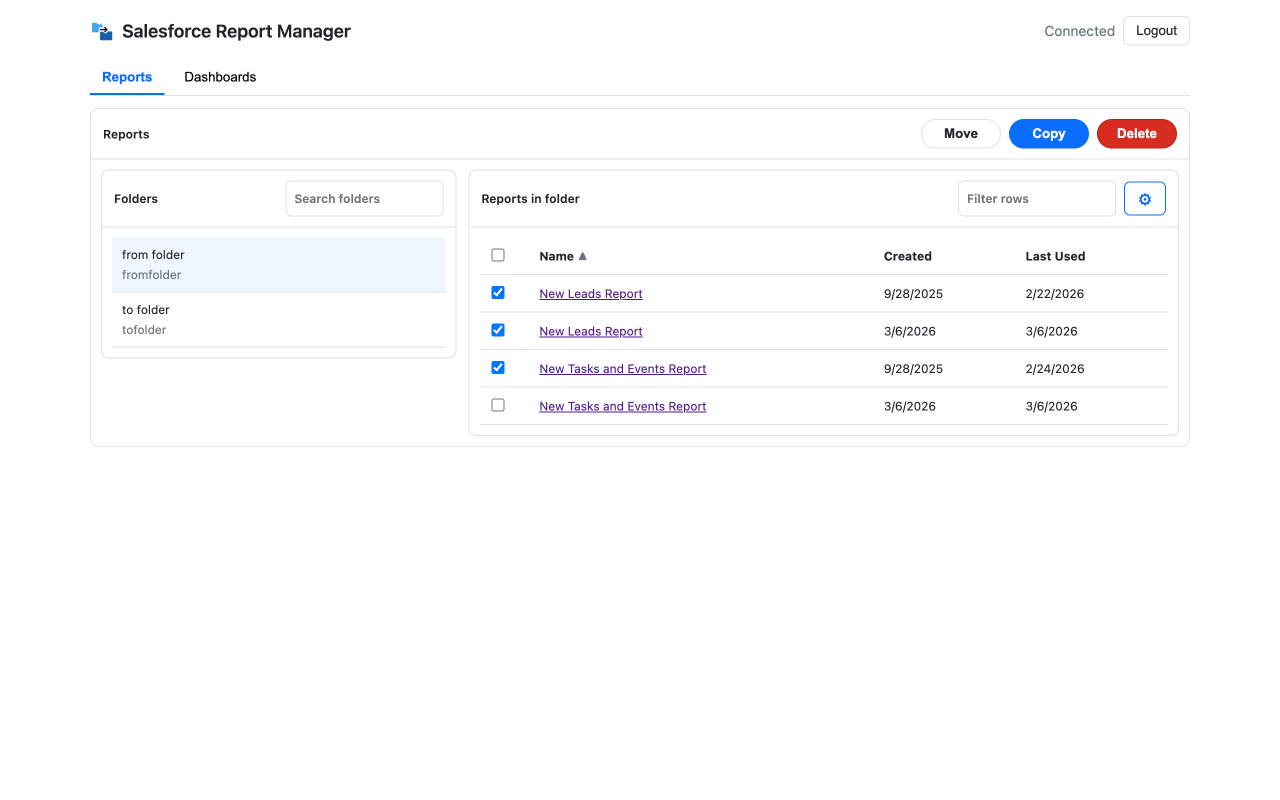
Folder-aware workspace
Browse report folders, use bulk Move, Copy, and Delete, and work through a sortable list in one focused view.
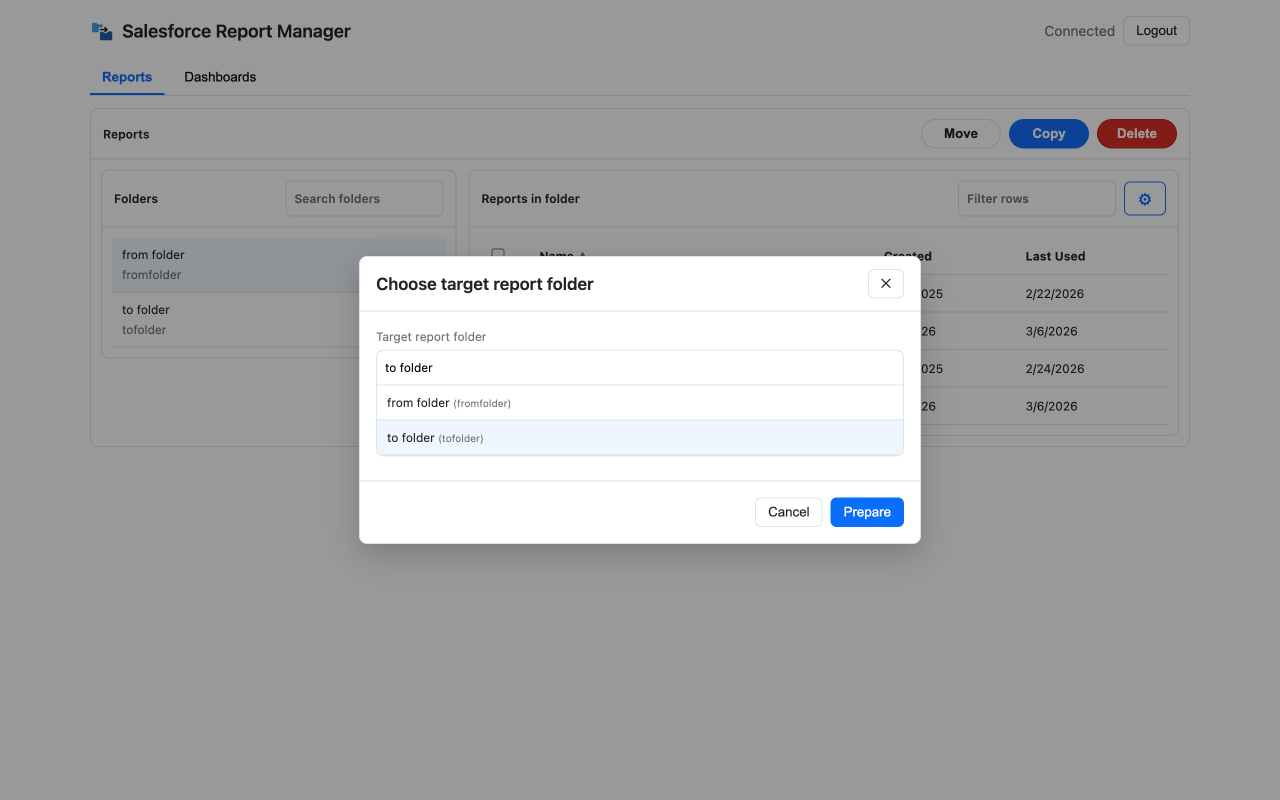
Choose the destination
When you copy or move in bulk, pick the report folder with context—then prepare the next step with one primary action.
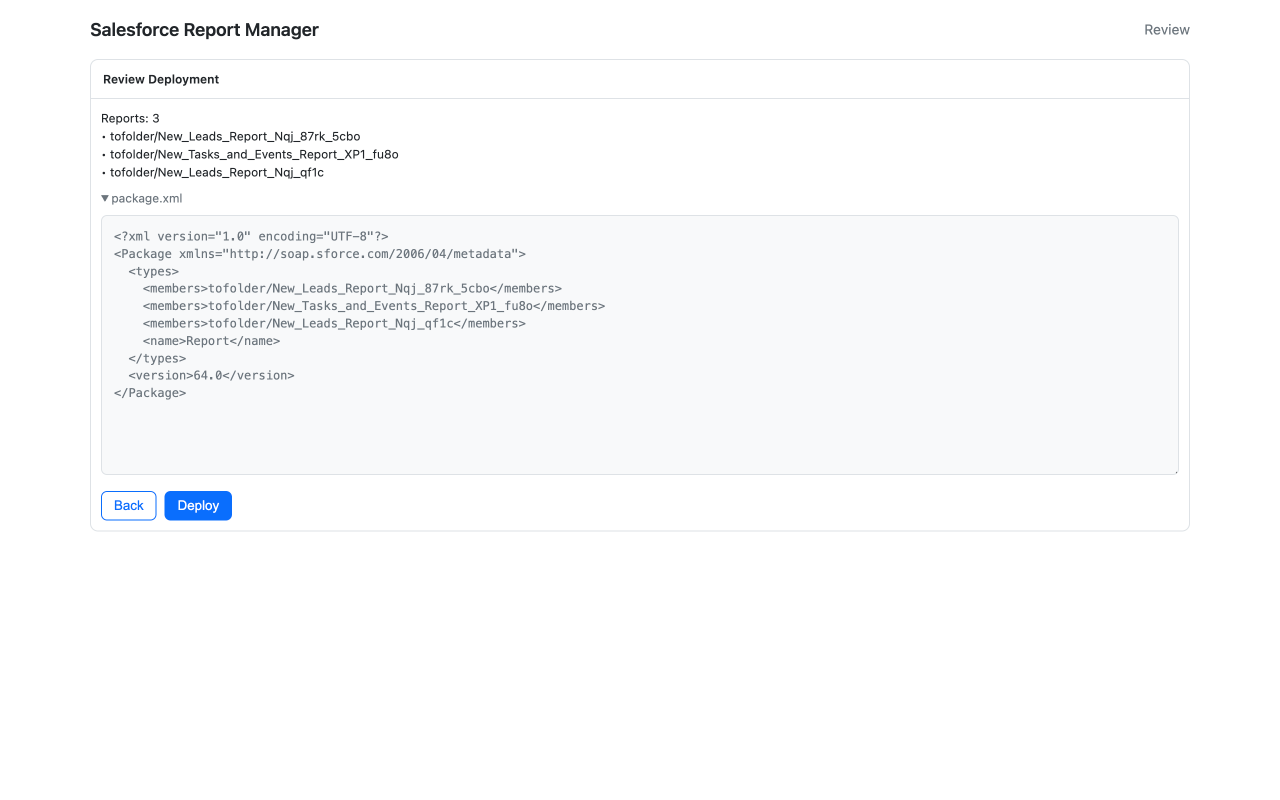
Review before deploy
See the reports in scope and the package.xml summary so technical reviewers and release owners share the same picture.
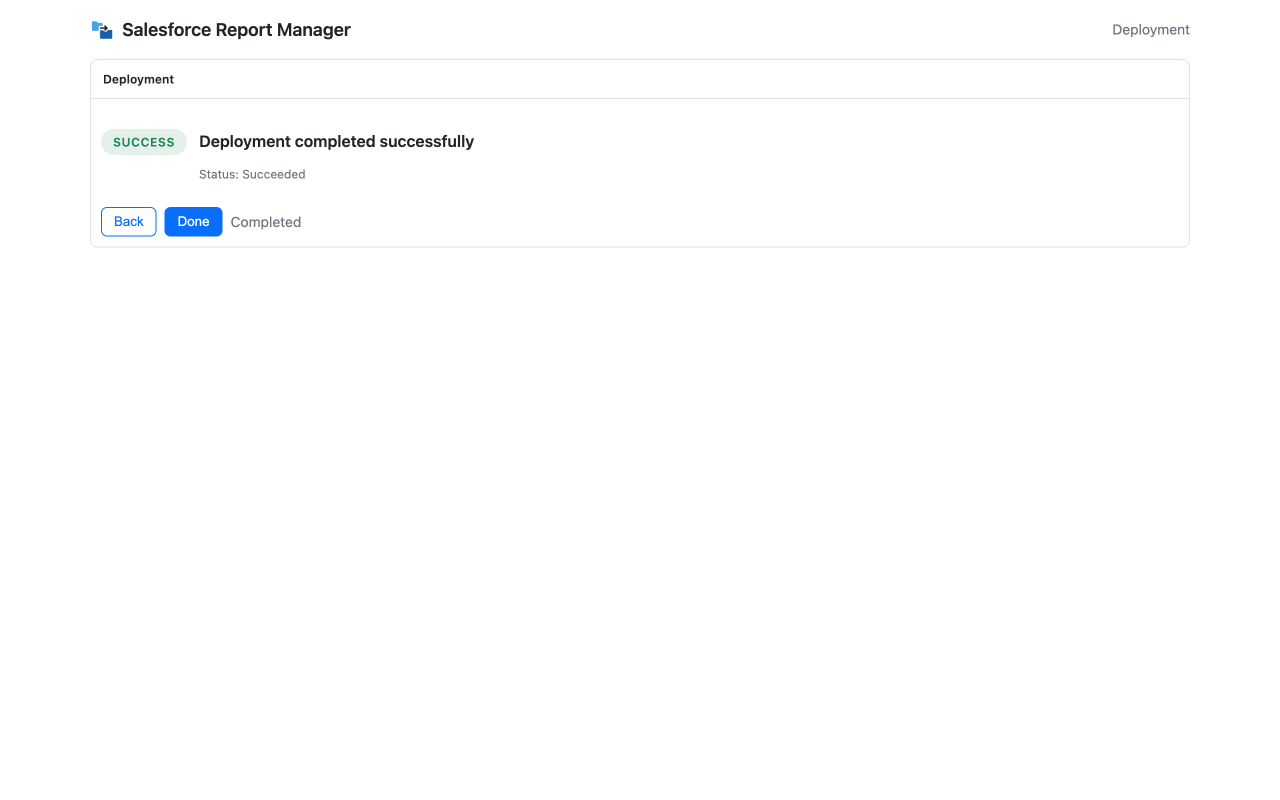
Operation result
Get an explicit success or failure state when the run finishes—so you can hand off to the next task or re-run with confidence.
Want the full walkthrough, FAQ, and trust details? See the product page
What you can do today
Mass actions
Copy, move, or delete many reports or dashboards in one run instead of opening each record.
Folder-first navigation
Browse report and dashboard folders in a focused view aligned with how teams organize analytics.
Deployment preparation
Prepare report and dashboard metadata for deployment and review the package before it is applied.
Progress & transparency
Track jobs as they run. Core Salesforce calls execute from your browser in line with your permissions.
Secure sign-in
Sign in with Salesforce via OAuth. Tokens are kept locally; the extension does not see your password.
Roadmap
Richer cleanup and audit-style insights are in active development—see the product page for direction.
Need pricing and rollout options? Compare plans
Quick answers
Is this affiliated with Salesforce?
No. SF Report Manager is an independent Chrome extension. Salesforce and related marks are trademarks of Salesforce, Inc.
Does it work with standard Salesforce permissions?
Yes—you need access to the items and folders you act on. A System Administrator profile is recommended for the broadest operations.
Where can I read the full FAQ?
See the full FAQ on the product page or privacy policy for data handling details.