
Product capabilities
SF Report Manager is a Chrome extension that adds mass operations and a guided workflow for Salesforce reports and dashboards—from folder browsing through review and job progress.
At a glance
How teams use it
The extension is designed around bulk selection, a clear action (copy, move, delete, or package for deployment), and a review step so changes are intentional.
Mass copy, move, and delete
Apply changes to many reports or dashboards in one pass instead of repeating the same clicks in the standard UI. See screenshots for the in-product workflow.
Folder-aware browsing
Navigate report and dashboard folders in a single workspace, with search and table views aligned to how ops teams work.
Tabs for reports and dashboards
Switch between object types with dedicated lists, sorts, and column sets so you can work through large backlogs methodically.
Deployment preparation
Prepare report and dashboard metadata for deployment, with a review path before changes are applied to another org or branch.
Visible progress & logging
Watch jobs progress and use structured operation detail when you need to troubleshoot partial failures or permissions.
Launch from Salesforce context
Open the extension from the Chrome toolbar or via integration when you are already on supported Salesforce analytics pages.
What it looks like
Screenshots from the live extension
The UI is intentionally plain: it reads like internal tooling you can trust, with a clear path from folder to deployment feedback.
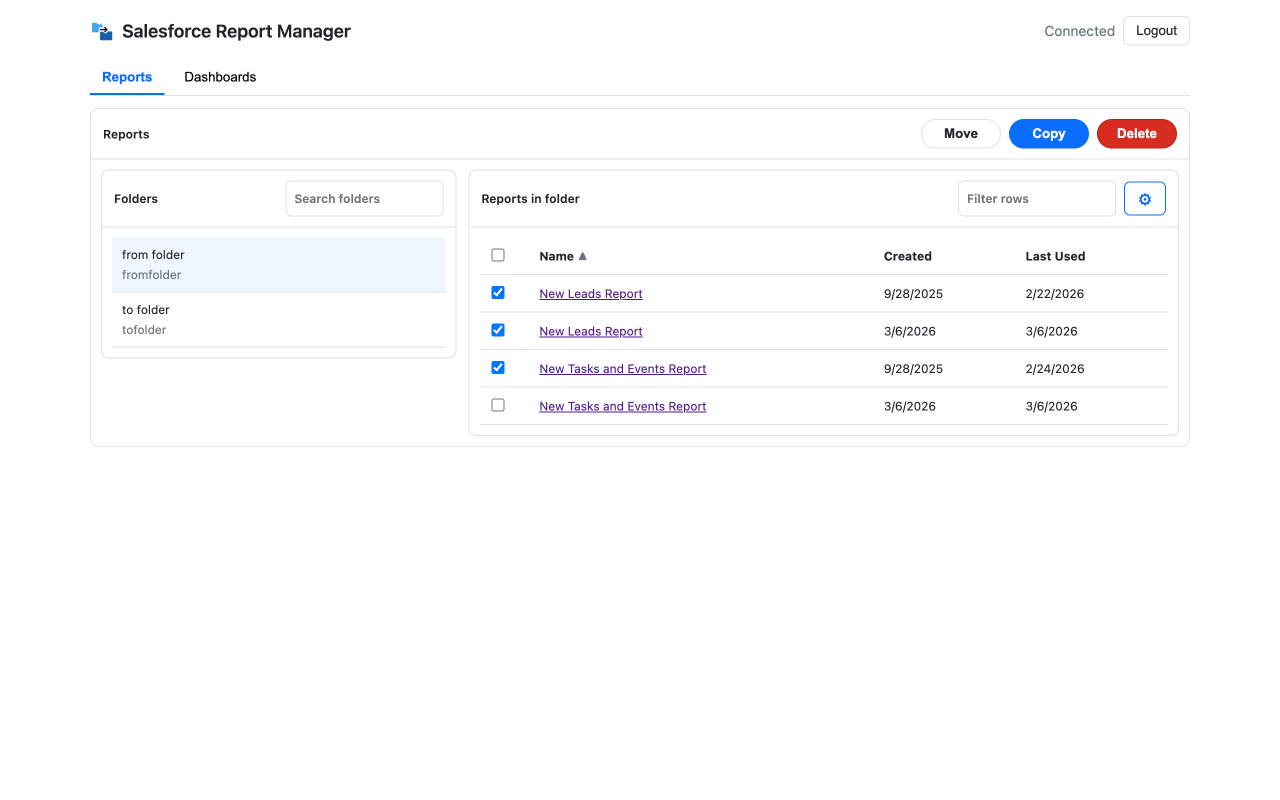
Workspace & bulk actions
Work in Reports or Dashboards, search folders, select rows, and run Move, Copy, or Delete in place.
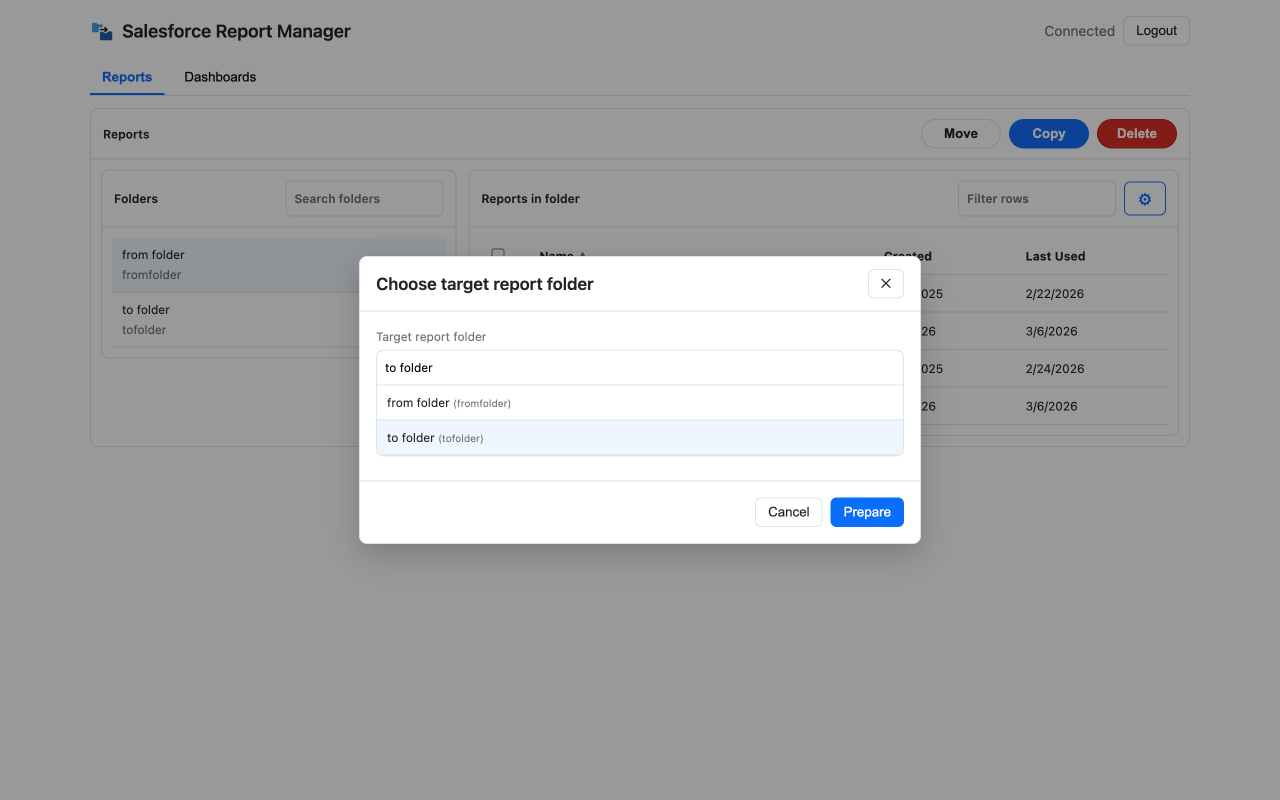
Target folder step
Before a prepared run, pick the report folder you want. Cancel returns you to the table without side effects.
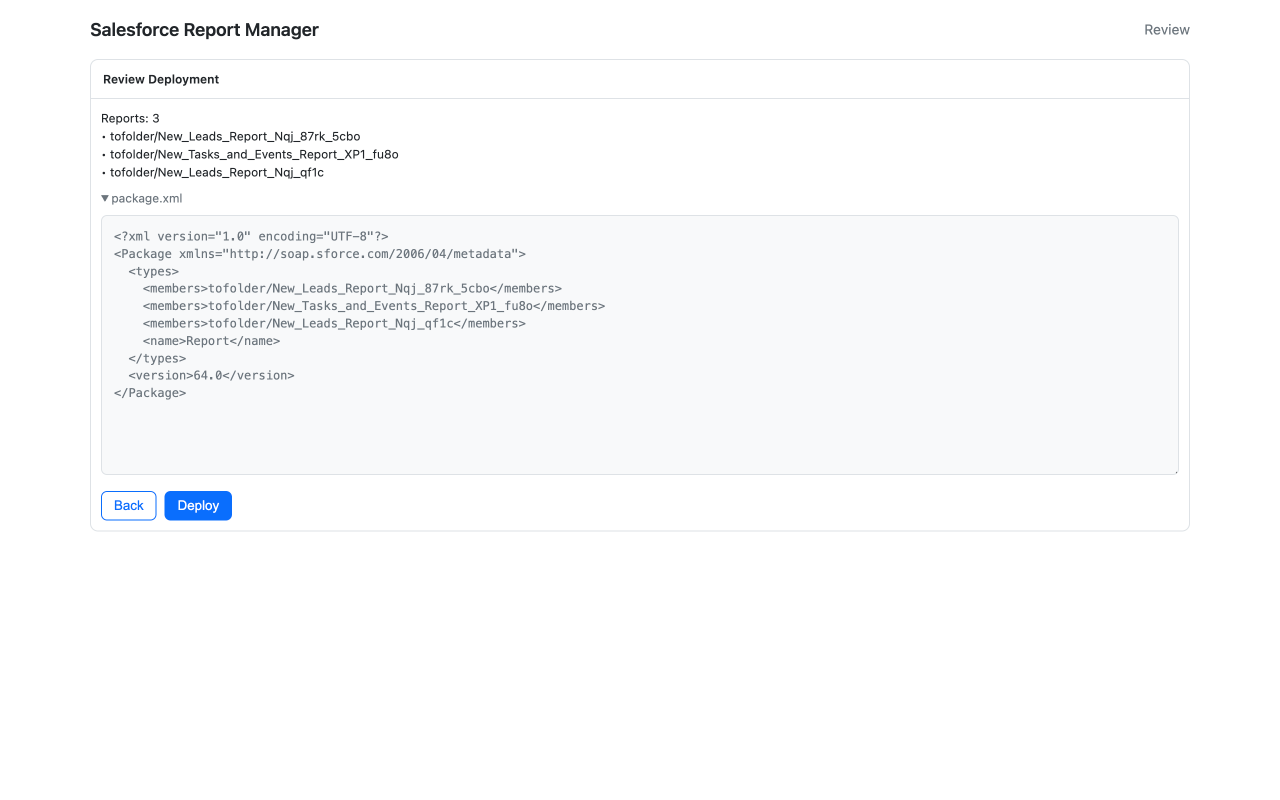
Review deployment
Confirm which reports are in the package, expand package.xml for reviewers, then deploy or step back.
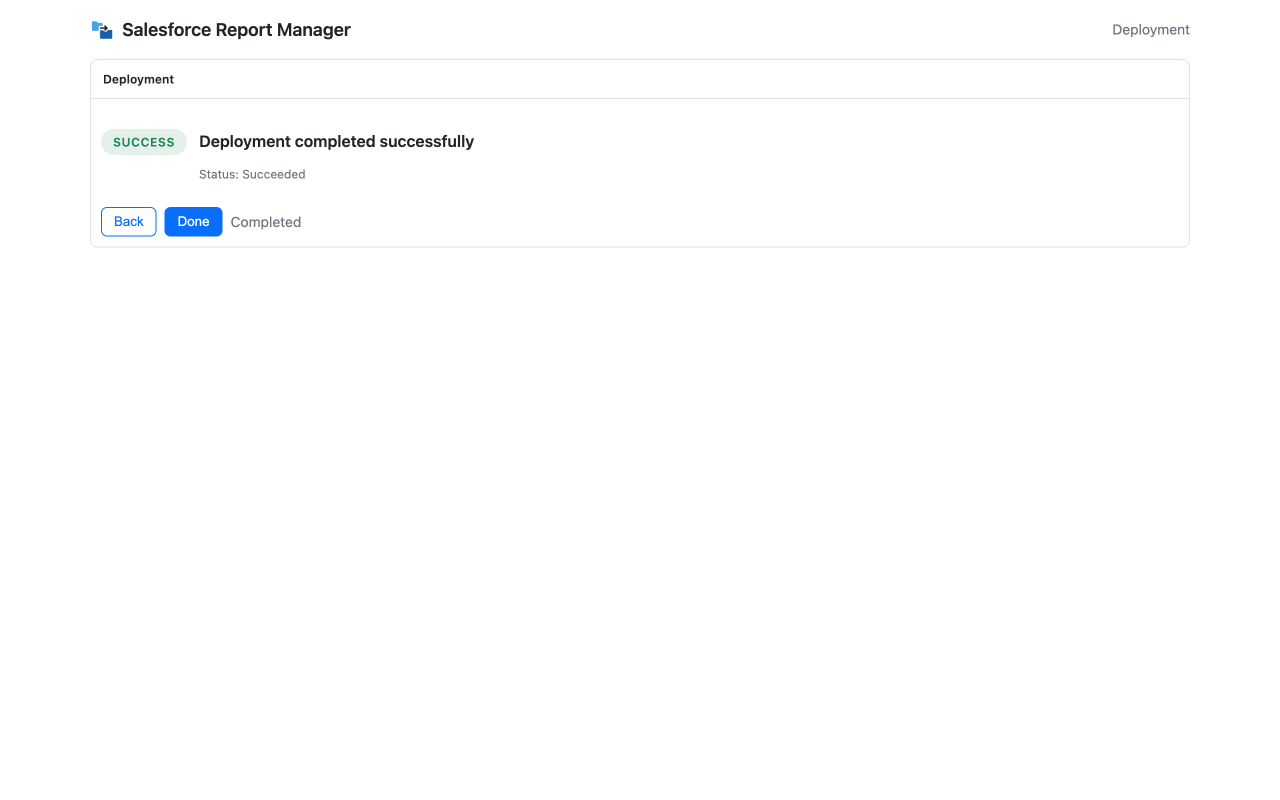
Deployment result
See a concise status when the run completes—enough to move on, log the outcome, or retry if something failed.
For administrators
- Consolidate duplicate folders after mergers or org splits.
- Re-home dashboards and reports to the right public or private folders at scale.
- Package analytics metadata for release pipelines with a review gate.
Requires permissions appropriate to the org and objects you touch; System Administrator is recommended for the widest set of operations.
For consultants and partners
- Execute repeatable cleanup in client sandboxes and production with less bespoke scripting.
- Give client teams a reviewable runbook: select → action → confirm → progress.
- Move faster in multi-org programs where analytics sprawl is common.
The same workflow model applies: work stays in the browser and Salesforce you are authenticated to.
Privacy, permissions & data flow
SF Report Manager requests the host and API permissions it needs to authenticate to Salesforce, list folders and items, and perform the actions you initiate. Core operations run from your browser against your Salesforce org using your session or OAuth tokens.
You sign in via OAuth when needed. Tokens are stored in chrome.storage.local. The extension does not receive your password. For full detail on what may be sent to our infrastructure (e.g. optional analytics) see the privacy policy.
Roadmap and product direction
Development is active toward a fuller analytics operations model: more unified move/copy/delete pipelines, optional audit and cleanup views (for example unused or duplicate-like assets), and exports from audit results. Capabilities and timing may change; what ships will always be reflected in the Chrome Web Store listing and these pages.
Nothing here is a service-level or delivery commitment; it describes intended direction for customers evaluating the product.
FAQ
Can I bulk copy, move, or delete Salesforce reports between folders?
Yes. Select multiple reports, choose the action, and run the job from one place. The same model applies to dashboards where the product supports the operation.
Can I manage dashboards as well as reports?
Yes. The extension is built around both object types so teams can reorganize analytics assets without switching tools for each category.
Can it help with deployment prep?
Yes. You can prepare report and dashboard metadata for deployment and go through a review step before changes are pushed, depending on your target workflow.
Does this work with standard Salesforce permissions?
Yes. You need access to the source items and destination folders. A System Administrator profile is recommended for operations that touch many folders.
How do I sign in? Is my password safe?
You sign in to Salesforce via OAuth in your browser. The extension never sees your password, and tokens are stored locally. See the privacy policy for storage details.
Does SF Report Manager edit report definition logic automatically?
No. It helps you manage assets and package metadata; it does not rewrite report logic for you.
Is any data sent to external servers?
Core Salesforce work runs in your client. For optional analytics, extension storage, and any service calls, read the privacy policy.
Will it overwrite existing items without warning?
Flows are designed to give you a review step so you can avoid unintended destructive or colliding changes.